CONNECTED PRODUCT INFORMATION. NATIVE AI.

Understand your product data.
Know what needs attention.

Connect specifications, BOMs, suppliers, and documents. Use scoring, data-quality checks, and AI analysis to find gaps, explore relationships, and decide what to review next.

Insights and LINQ Assist, built into your records
Interactive example

Select a tab to explore.

GreenlinqGreenlinq
/ProductsIllustrative example

Component assembly

ASM-2040 · Assemblies
Revision
04
Type
Assembly
Status
In review
Spec Score89/100ASM-2040 · 4 to review

Spec Score

Specification health
89/100

23 of 25 required or essential fields completed.

Completeness 75% weight
92/100
Data Quality 25% weight · 8/10 checks pass
80/100
This example combines field completeness with configured Data Quality checks. The breakdown shows what contributes to the score.

Details to review

Assembly massRequired field · Missing in this example
Supplier part numberEssential field · Missing in this example
Supplier document date14/09/26 · Expected YYYY-MM-DD
DescriptionBelow the configured minimum length
ONE FOUNDATION FOREngineeringProduct teamsSalesSuppliersQuality
HOW BUSINESSES USE GREENLINQ

One platform. Different ways to put it to work.

Your company’s work determines how the capabilities come together. These three examples show different ways to use the same connected platform.

Illustrative company scenarios · Your records, relationships, and workflows are configured around your needs.

Plants, lines & equipment

Manage plants, lines, and equipment.

A company with many plants needs to connect each site’s lines, machines, and finished goods. Find the relevant specification, component, manual, or drawing from that structure.

Capabilities working togetherSpecifications & BOMs · Documents · Insights & AI

See how it works: Plants, lines & equipment
Product-connected sales

Connect sales to the product.

A manufacturer or distributor needs to quote a customer requirement. Bring the proposed product, its specifications, supplier responses, and selling prices into the opportunity.

Capabilities working togetherOpportunities & Quoting · Product specifications · Documents · AI

See how it works: Product-connected sales

Manufacturing & fabrication

Follow jobs through each handoff.

A manufacturing or fabrication team needs to track individual items through a job. Keep materials, BOMs, drawings, work steps, and quality follow-up connected.

Capabilities working togetherFabrication · Specifications & BOMs · Documents · Quality & approvals · AI

See how it works: Manufacturing & fabrication
THE CONNECTED FOUNDATION

The information behind your work.
Connected in one place.

Bring together specifications, documents, suppliers, and decisions. Configure that shared foundation around the records and relationships your business needs.

Specifications & BOMs

Define products, components, and assemblies—or represent plants, lines, and machines. Connect their specifications and bills of materials (BOMs) so you can follow the relationships.

Document management

Keep drawings, manuals, supplier sheets, and other supporting files linked to the records they describe. Find the evidence behind a specification or a question.

Supplier collaboration

Give suppliers access to the records and fields they maintain. Keep their updates and source documents together for your team to review.

Revisions & approvals

Keep revision history, supporting documents, and review decisions connected. See which version is being reviewed and what still needs attention.

Configurable fields & views

Use fields, relationships, and views that fit your products, equipment, and process. Configure who can view or update the information they work with.

Imports & exports

Map Excel and CSV columns to your fields, then reuse layouts for the specification sheets partners need. Use AI-assisted review for PDF and image sources.

SPECIFICATIONS. RELATIONSHIPS. DECISIONS.

See how everything connects.

A supplier updates a component specification. Find the products that use it, review the evidence, and ask LINQ Assist what needs attention before approving a revision.

Interactive example

Select a tab to explore.

GreenlinqGreenlinq
/ComponentsIllustrative example

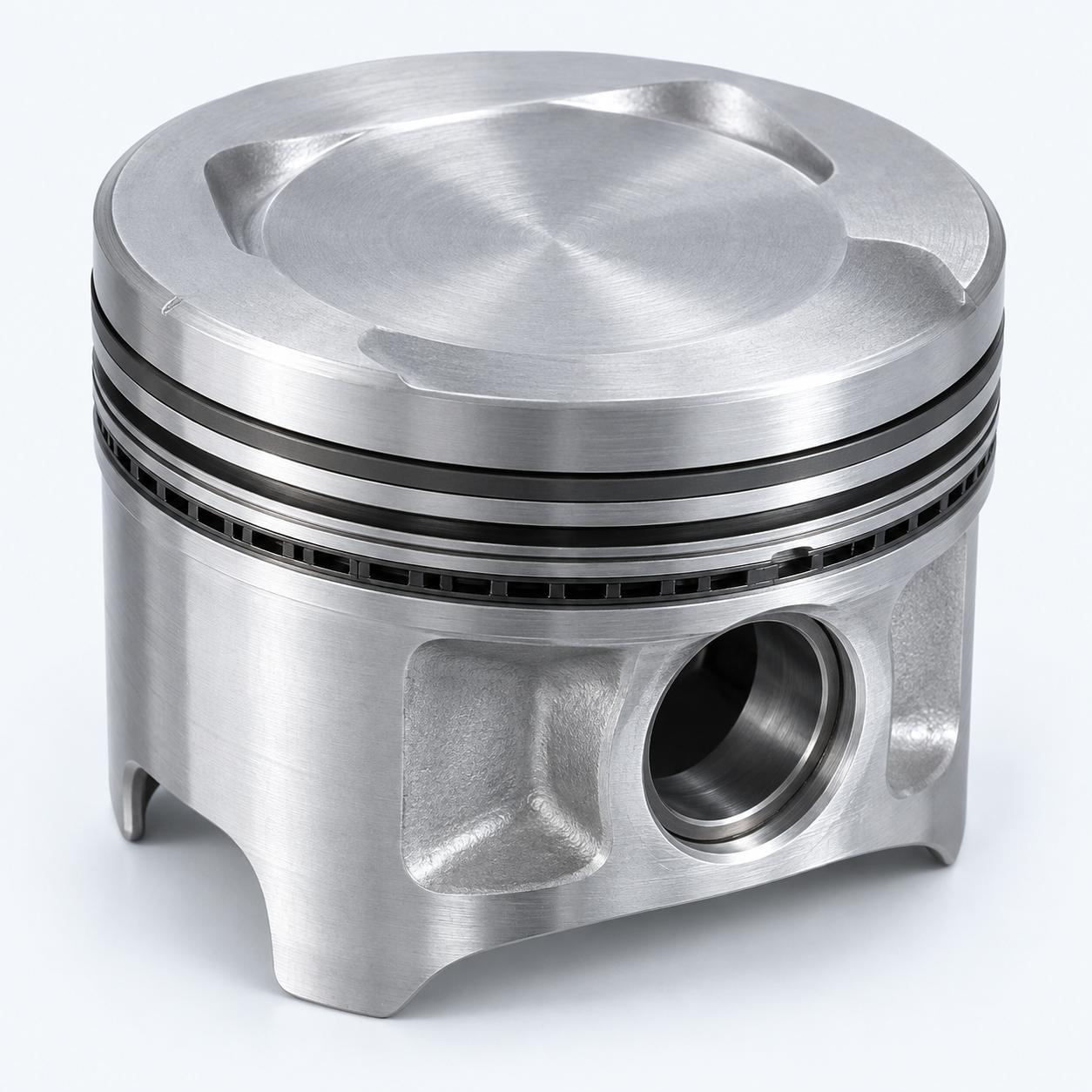
Piston

CMP-101 · Components
Saved revision
04
Supplier
Northline Components
Status
Change to review
Spec Score90/100CMP-101 · 2 to review
Illustrative piston component
NEW SUPPLIER INFORMATION

A material detail has changed.

Compare the incoming sheet with the saved record, then follow the connected assemblies.

Saved specification compared with a proposed supplier update
DetailSaved componentIncoming supplier sheet
MaterialAluminum alloyAluminum 4032
Proposed detail · Needs review
Revision04Supplier sheet 05 · Not yet accepted
The saved specification and linked BOMs remain unchanged.

Specifications, BOMs, supplier documents, and review decisions stay connected as you investigate.

Explore the connected platform
CAPABILITIES FOR YOUR DAILY WORK

Bring the right information
into each workflow.

Use the capabilities that support your team’s work, with the relevant specifications, documents, and relationships connected. Your scope can stay focused on what you need.

Opportunities & Quoting

Connect customer requirements to product specifications, supplier quotes, and selling prices. Review the details behind the next sales decision.

Inventory & Purchasing

See available, allocated, and expected stock. Connect purchase-order lines to products, record partial deliveries, and trace the stock changes.

Manufacturing & Fabrication

Follow jobs and individual items through configured steps. Keep material requirements, drawings, start and finish times, and planned handoffs together.

Quality Management

Connect inspections, quality issues, and follow-up actions to product requirements and evidence. Keep disposition and closure with your review process.

Work Instructions

Give teams visual steps, materials, and quantities for kitting, packing, setup, or maintenance. Keep activity completion tied to the procedure revision.

Cold Chain Management

Plan insulated ground parcels with temperature requirements, packaging, and packing instructions. Keep estimated protection, measured checkpoints, and exception reviews distinct.

OPPORTUNITIES & QUOTING

Every quote starts
with a product requirement.

Bring sales and product development together. Connect the opportunity to its specifications, supplier responses, and customer pricing.

Explore opportunities & quoting
Customer requirement1,000 machined housings
Linked specificationMaterial, dimensions, drawing
Supplier quotesCompare costs and quantity breaks
Customer quoteSelling price, terms, revision
SUSTAINABILITY STARTS WITH THE DETAILS

Know what goes
into your products.

Track sustainability field completeness alongside your specifications. Find missing information, roll up configured measures through your BOMs, and prepare data for reporting.

Explore sustainability tracking

From source data to product insight.

01Define sustainability fields
02Score completeness and find gaps
03Roll up measures through the BOM
04Prepare reporting data
Weights · Recycled content · Supporting documents
SCORING. INSIGHTS. AI ANALYSIS.

From a score
to a next step.

See what needs attention, understand why, and decide what to do next—with your connected product information in view.

  1. 01

    Assess the data

    See how complete your records are and where configured quality checks need attention.

    Spec Score · Completeness · Data Quality
  2. 02

    Understand the findings

    Move from a score to the missing values, inconsistent formats, and source details behind it.

    The finding, the field, and the evidence
  3. 03

    Explore the connections

    Ask LINQ Assist about your information and follow related specifications, BOMs, suppliers, and documents.

    Answers in the context of connected records
  4. 04

    Review the next step

    Use the findings to guide your review. Check proposed changes against their source before confirming an action.

    Your review stays part of the decision
Built on the information you already manage.

Specifications, BOMs, suppliers, documents, and approvals stay connected as you investigate.

Explore LINQ Assistant
NATIVE AI. REVIEWABLE ACTIONS.

Investigate the question.
Review the next step.

Ask LINQ Assist to analyze connected records, compare source documents, and research missing details. Review the evidence behind a proposed addition before deciding whether to accept it.

Interactive example

Select a tab to explore.

GreenlinqGreenlinq
/ComponentsIllustrative example

Machined drive housing

CMP-208 · Components
Revision
03
Status
In review
Spec Score92/100CMP-208 · 2 to review
What should we verify in this housing specification, and what missing information could we add?
LINQ Assist

The supplier sheet does not state the temper or bore tolerance required by CMP-208. Confirm those details with the supplier. Separately, quote SQ-2041 provides a lead time of 20 working days that we can propose for review.

CMP-208 · Product specification · Rev 03
ILLUSTRATIVE SOURCE DETAILS
Material
Aluminum 6061-T6
Bore diameter
25 mm ± 0.05 mm
Surface finish
Clear anodized
Supplier lead time
Not provided
Supplier technical sheet · p. 1
ILLUSTRATIVE SOURCE DETAILS
Material
Aluminum 6061
Bore diameter
25 mm · Tolerance not stated
Surface finish
Clear anodized

Sample source excerpt. Temper and bore tolerance need confirmation from the supplier.

SQ-2041 · Supplier quote · p. 1
ILLUSTRATIVE SOURCE DETAILS
Supplier
Northline Components
Product
CMP-208 · Machined drive housing
Quoted quantity
1,000 ea
Lead time
20 working days

Illustrative quote excerpt. Confirm the applicable quantity, terms, and start point for lead time before using the value.

PROPOSED ADDITION · FOR YOUR REVIEW

Add supplier lead time

Current valueNot provided
Proposed value20 working days

Source: SQ-2041 · p. 1 · Quote for 1,000 units. This addition does not resolve the temper or tolerance questions.

In this example, the supplier quote supports a proposed lead time. The material and tolerance questions still need confirmation.

Explore Insights & AI
ENGINEERED FOR BUSINESS

Built for the details that matter.

Explore all industries
START WITH YOUR BUSINESS

Plan a focused starting point.

Bring a representative product, equipment structure, opportunity, or job. Explore how the information and capabilities could come together for your team.

Choose the work to support

Identify the records, people, and decisions involved. Agree the capabilities and configuration your business needs.

Review your information and outputs

Use a sample spreadsheet, document, or required partner format to assess how the workflow could work in practice.

Agree scope, pricing, and onboarding

Review your existing systems, responsibilities, and migration needs. Confirm the implementation scope and timeline with the team.

Explore getting started & FAQs
SEE GREENLINQ FOR YOUR BUSINESS

Bring your work.
Explore what connects it.

Explore your records, workflows, and required outputs. Agree the capabilities and setup that fit your team.

Request a demo