A clear sequence
Break a procedure into focused steps with visual references and the details needed for each task.
Give teams visual, step-by-step guidance for packing, equipment setup, and maintenance. Keep instructions connected to products, materials, documents, and revisions so people can find the procedure that applies to their work.
Help new team members get started, reduce repeated questions, and make the expected sequence easier to follow across shifts.
Break a procedure into focused steps with visual references and the details needed for each task.
Keep the procedure’s revision and supporting product information visible when the team reviews a change.
Use LINQ Assist to explore the instruction, its linked records, and what still needs attention.
Explore a gel-pack packing procedure, inspect its materials and supporting documents, and try a sample completion checklist. The instruction and activity stay separate.
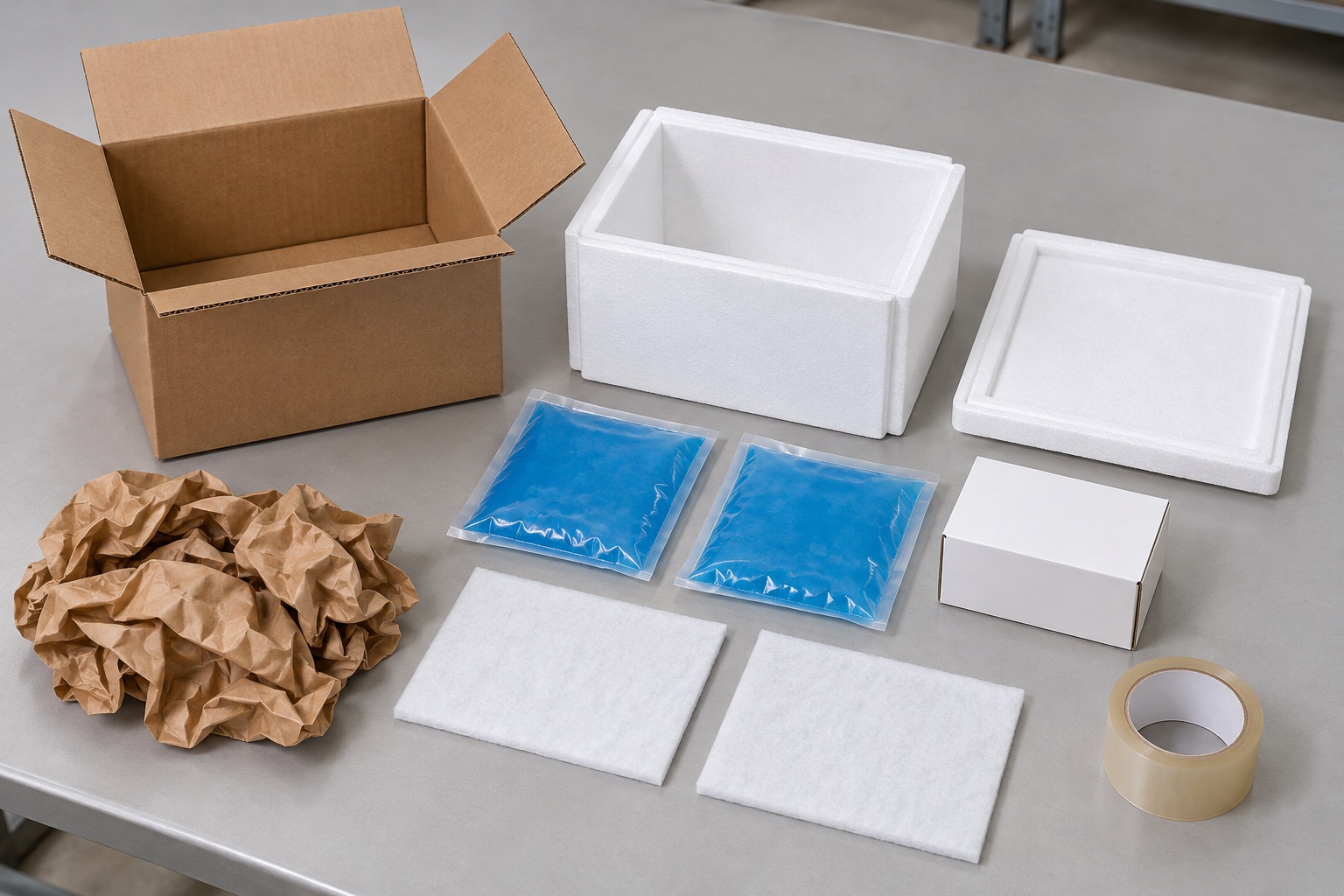
Check the product and selected packaging specification. Condition both gel packs using the product-specific procedure before packing.
 View full size
Illustrative packing photo. Materials, conditioning, and placement must follow the applicable product and packaging procedure.
0 of 5 steps confirmed. Complete the checklist before recording the sample run.
RUN-018 references this revision. Review the applicable instruction when the product, materials, or packaging changes.
Review the step pictures, confirm the materials and handoff checks, then record completion on the sample activity.
Use INS-411 revision 03 for the gel-pack shipper linked to PRD-410. 0 of 5 steps have been confirmed on RUN-018. Check the remaining steps and the applicable product-specific conditioning procedure before recording completion.
This instruction calls for fitted insulation, two conditioned gel packs, protective separators, a sealed product unit, void fill, and tape. It does not describe the liner-only or extended-duration packaging options.
The final step calls for a pack-out reading and a destination-label check. Confirm these against the product’s handling requirements; a checked box alone does not establish temperature protection.
Completing RUN-018 does not revise the Instructions record or dispatch a shipment.
Use the same connected-instruction approach across distribution, manufacturing, and engineering. Configure the records and required information around your process.
Show the materials, product placement, closure sequence, and checks needed before a parcel is handed off.
Keep the setup procedure near the equipment specification, diagrams, and revision information the team needs.
Bring the relevant procedure, component references, and supporting documents together for the technician’s next review.
Documents hold supporting information. An Instructions record organizes a procedure into a sequence that people can follow, with relevant visual references, materials, and linked product information.
Yes. The same approach can support equipment setup, maintenance, troubleshooting, and other repeatable procedures. Define the applicable records, steps, and required information during scoping.
Review the applicable instruction and its supporting records. Keep revision history and review decisions connected; a product change should prompt a review rather than an assumption that every linked procedure is already correct.
No. The website checklist records a sample activity against a displayed revision. Instruction approval, shipment dispatch, inspections, and release decisions remain separate parts of the relevant workflow.
The Instructions record describes how to pack the selected product and packaging. The shipment carries the plan, dispatch, temperature checkpoints, and excursion review. Explore the Cold Chain example to see those responsibilities together.
Bring a representative procedure, its pictures or diagrams, the product or equipment it relates to, and the information your team must record. We will review your configuration and implementation scope with you.
Review your steps, visual references, linked records, and completion requirements in a Greenlinq demo.
Request a demo