Insights and AI are part of the work. Check completeness, explore related records, and review suggested next steps without losing the product context.
01 / CONNECT PRODUCT RECORDS
From one specification to the products that use it.
Define reusable component specifications, assemble BOMs, and connect supplier details, drawings, and source documents. Follow those relationships when a product question or change needs investigation.
This example scores required and essential field completeness. Configured Data Quality checks can also contribute to Spec Score.
Details to review
Assembly massRequired field · Missing in this example
Supplier part numberEssential field · Missing in this example
Linked component specifications and supporting documents
What is ASM-2040 made of, who supplies it, and is the current revision approved?
LINQ Assist
ASM-2040 is a component assembly supplied by Northline Components. Its primary materials are aluminum and steel. Here is what its specifications, BOM, and approval record show:
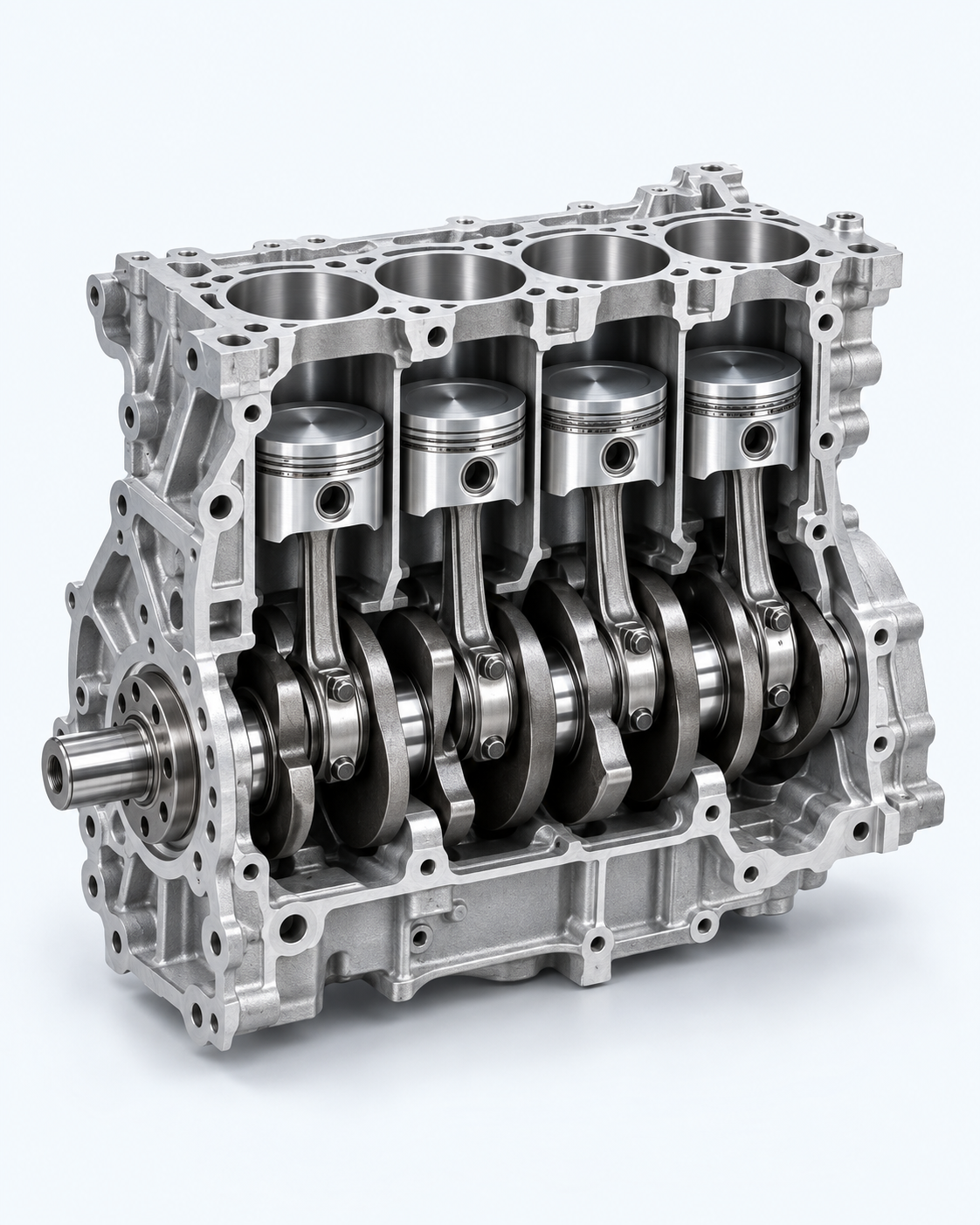
Four component specifications are connected.The BOM contains 4 aluminum-alloy pistons, 4 forged-steel connecting rods, 1 forged-steel crankshaft, and 1 set of multi-layer-alloy main bearings.
Revision 04 is still in review.Engineering has completed its technical review. Quality review is pending, and the linked crankshaft specification is also in review.
SUGGESTED NEXT STEP
Review the outstanding approvals.
Check the pending Quality review and crankshaft revision before approving the assembly.
Illustrative AI conversation using sample data and prepared responses.
Explore the example record. Open BOM lines, Revisions & documents, or Approvals. Then use Insights and LINQ Assist to understand what is missing and what still needs review.
Give suppliers access to the records and fields they maintain. Keep their specification updates and supporting documents alongside the product information your team uses.
Workflows & Approvals
Track revisions and review responsibilities. Examine the relevant specifications and evidence before approving a change or requesting more information.
Understand the change before deciding. Use Insights to identify missing information. Ask LINQ Assist about related records, supporting documents, and outstanding reviews.
This example scores required and essential field completeness. Configured Data Quality checks can also contribute to Spec Score.
Details to review
Supplier part numberRequired field · Missing in this example
Source document revisionEssential field · Missing in this example
Component specification, source sheet, and connected assembly
Which component specifications can Northline review in this supplier workspace?
LINQ Assist
This sample supplier view contains three assigned components: the piston, connecting rod, and crankshaft. Each has material, revision, and a linked specification document available for review.
Northline Components · Assigned specifications
ILLUSTRATIVE SOURCE DETAILS
CMP-101 · Piston
Aluminum alloy · Rev 04 · Specification.pdf
CMP-102 · Connecting rod
Forged steel · Rev 02 · Specification.pdf
CMP-103 · Crankshaft
Forged steel · Rev 03 · Specification.pdf
Suggested next step
Review each assigned specification against its source document. Supplier access follows the records and fields configured for that partner.
Illustrative AI conversation using sample data and prepared responses.
03 / UNDERSTAND YOUR INFORMATION
The record is the starting point. The next step is understanding it.
Insights and LINQ Assist work with the specifications, relationships, and evidence your team already manages. Move from a finding to an informed review.
See what needs attention.
Use Spec Score to assess configured required and essential field completeness. Where configured, weighted Data Quality checks add another measure. Open the findings to see which fields need attention.
Completeness and data quality help prioritize review; they do not establish engineering correctness.
Ask about the connected information.
Ask LINQ Assist which components are affected, what supports a value, or which reviews are outstanding. Research questions, compare source documents, and review proposed supplemental data.
“Which specifications in this assembly still need review, and what should we check next?”
Configure record types, attributes, relationships, and views around your products. Set required and essential fields to make completeness meaningful for your team, and scope access to the information each person maintains.
That same connected foundation supports opportunity analysis, quoting, and sustainability reporting.
Bring existing spec sheets in. Send the format someone needs.
Use your connected product information to work with customers, suppliers, and other partners—even when each needs a different specification sheet.
Start with the sheet your supplier already uses.
Import Excel and CSV spec sheets by matching columns to your configured fields. For PDFs and images, use LINQ Assist to review the source and propose useful details. Check the values, units, and revision before saving.
GreenlinqG
Search or ask Greenlinq…Ask Greenlinq
HelpACME ToolsAMAlex Morgan
/ImportsIllustrative example
Import component specifications
supplier-specifications.xlsx · Components
Records
3
Step
Match columns
Spec Score90/100CMP-101 · 2 to review
supplier-specifications.xlsx 3 records
Match spreadsheet columns to your component fields.
Source column
Destination field
Sample value
Part number
CMP-101
Material description
Aluminum alloy
Revision number
04
Interactive website example · Sample data only
Spec Score
Field completeness
90/100
18 of 20 required or essential fields completed.
This example scores required and essential field completeness. Configured Data Quality checks can also contribute to Spec Score.
Details to review
Supplier part numberRequired field · Missing in this example
Source document revisionEssential field · Missing in this example
Component specification, source sheet, and connected assembly
How should I map this supplier’s piston specification into our component fields?
LINQ Assist
The sample sheet identifies CMP-101 as an aluminum-alloy piston at revision 04. Map the supplier’s column labels to your component fields, then review the values before importing.
Supplier spreadsheet · Example column mapping
ILLUSTRATIVE SOURCE DETAILS
Part number → Component ID
CMP-101
Material description → Material
Aluminum alloy
Revision number → Revision
04
Suggested next step
Check the destination fields and units in the import review. Use LINQ Assist to review PDF or image sources separately from the Excel/CSV import.
Illustrative AI conversation using sample data and prepared responses.
Try the spec-sheet walkthroughFollow one component from supplier sheet to two recipient-specific exports.
SEE ONE SPECIFICATION THROUGH THE PROCESS
From supplier sheet to partner-ready output.
Follow the same component through three steps. No signup needed; all records are illustrative.
GreenlinqG
Search or ask Greenlinq…Ask Greenlinq
HelpACME ToolsAMAlex Morgan
/Import a sheetIllustrative example
Import component specifications
supplier-components.xlsx · Spreadsheet import
Spec Score90/100CMP-101 · 2 to review
SOURCE FILE
Start with an existing spreadsheet.
Map the supplier’s column names to your specification fields. Review the values before saving.
supplier-components.xlsx
Source → destination
Part numberComponent IDCMP-101
Material descriptionMaterialAluminum alloy
Revision numberRevision04
Interactive example using sample data. Changes apply only to this example.
Spec Score
Field completeness
90/100
18 of 20 required or essential fields completed.
This example scores required and essential field completeness. Configured Data Quality checks can also contribute to Spec Score.
Details to review
Supplier part numberRequired field · Missing in this example
Source document revisionEssential field · Missing in this example
Component specification, source sheet, and connected assembly
How should I map this supplier’s piston specification into our component fields?
LINQ Assist
The sample sheet identifies CMP-101 as an aluminum-alloy piston at revision 04. Map the supplier’s column labels to your component fields, then review the values before importing.
Supplier spreadsheet · Example column mapping
ILLUSTRATIVE SOURCE DETAILS
Part number → Component ID
CMP-101
Material description → Material
Aluminum alloy
Revision number → Revision
04
Suggested next step
Check the destination fields and units in the import review. Use LINQ Assist to review PDF or image sources separately from the Excel/CSV import.
Illustrative AI conversation using sample data and prepared responses.
A LITTLE MORE CONTEXT
Questions, connected.
How do specifications and BOMs work together?
A component specification holds its product details and supporting information. BOMs connect those reusable components to assemblies with quantities and revision context. Review related records when assessing a change; a link does not mean every assembly revision updates automatically.
Where do Insights and LINQ Assist fit?
They are native views on the record. Insights highlights configured completeness and data-quality findings. LINQ Assist helps investigate the record and its connected information, compare sources, and propose a next step for review. A score or AI response does not replace technical approval.
Can we use existing supplier sheets?
Import Excel and CSV sheets by mapping columns to your fields. Use LINQ Assist to review PDFs and images, then check proposed details against the source before saving.
Can suppliers maintain their own information?
Configure supplier access to the records and fields they are responsible for. Agree the update scope and review process so your team can assess changes alongside supporting documents.
Can different partners receive different formats?
Configure reusable layouts for each partner’s fields and presentation requirements. Greenlinq includes configurable PDF layouts and Excel/CSV export options. Bring a required template to a demo to review the exact output.
MAKE THE NEXT STEP SPECIFIC
Bring a spec sheet. See how it could work.
Review your source data and required outputs. Explore module-based pricing and a migration plan for your team.